This z-score calculator converts a raw score or a sample mean into a standardized z-score. It also provides a clear, step-by-step explanation to help you understand how the calculation was done.
Standard Z Score Calculator
Standard ScoresCalculate a z-score for a single raw score, a sample mean, or a full set of raw scores.
Want to convert the z-score into probability? Use the Z Score Probability Calculator for instant results.
How to Use the Z Score Calculator
This calculator allows you to compute a z-score for a single raw score, a sample mean, or multiple raw scores. Follow the steps below depending on the type of calculation you want to perform.
- Step 1. Select the type of calculation you want to perform from the dropdown.
- Select “Single Raw Score” if you want to convert one value into a z-score
- Select “Sample Mean” if you want to calculate a z-score of a sample mean
- Select “Set of Raw Scores” if you want to standardize several data points at once
- Step 2. Fill in the input fields depending on the option you chose from the dropdown
- For a single raw score, you’ll enter the raw score (X), the population mean (μ), and the population standard deviation (σ).
- To convert the sample mean to a z score, you’ll enter the sample mean (x̄), the population mean (μ), the population standard deviation (σ), and the sample size (n).
- To convert multiple raw scores to z, you paste the values and indicate whether they are from a sample or a population
- Step 3. Click the “Calculate” button
The calculator will instantly compute the appropriate z-score and provide a clear, step-by-step explanation of how each of the solutions was obtained. This will consequently help you verify results and understand how to calculate z-scores manually.
How to Find the Z Score from a Raw Score
To calculate a z-score from a raw score, you need three parameters: the raw score (X), the mean (μ), and the standard deviation (σ). In this case, you can easily convert a raw score to a z-score using the formula: Z =(X-μ)/σ
Example 1. A student scored 78 on a math test. The class average was 81 with a standard deviation of 9. Find how this student’s score compares to the rest of the class in terms of standard deviations.
Solution
In this case, we need to find a z-score from raw scores.
From the question, we know that:
- Raw score, X = 78
- Population mean, μ = 81
- Population standard deviation, σ = 9
Using the z-score formula, we have: z = (78-81)/9
= -0.3333
Alternatively, to find this value quickly with the z-score calculator, follow these steps:
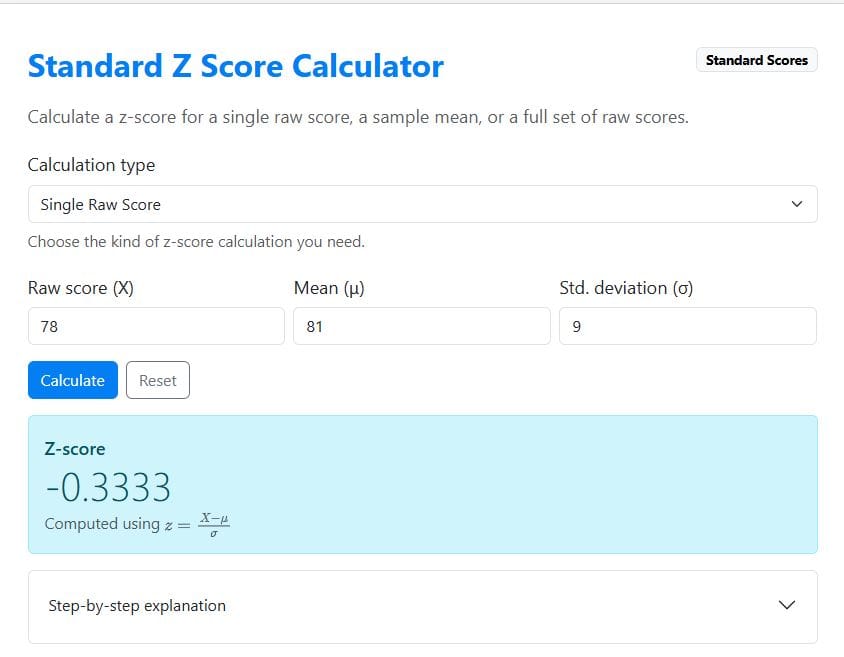
- Select “Single raw score.”
- Enter the parameters: X = 78, μ = 81, and σ = 9
- Click Calculate
The calculator instantly returns a z-score value of -0.3333 as shown below. You can also click the “step-by-step explanation” to learn how the value was computed.
How to Find the Z-Score from a Sample Mean
Sometimes you need to determine how unusual a sample mean is compared to a population. In this case, you calculate a z-score using the formula: z = (x̄-μ)/(σ/√n)
Where:
- x̄ is the sample mean
- μ is the population mean
- σ is the population standard deviation
- n is the sample size
Example 2. A researcher studies the average time students spend studying per week. The population average study time is 12 hours with a standard deviation of 4 hours. A random sample of 25 students has an average study time of 14 hours. Determine how unusual this sample mean is.
Solution
In this case, we need to find a z-score from a sample mean.
From the question, we know that:
- Sample mean, x̄ = 14
- Population mean, μ = 12
- Population standard deviation, σ = 4
- Sample size, n = 25
Using the z-score formula for sample means, we have:
z = (14-12)/(4/√25)
=2/0.8
=2.5
This means the sample mean is 2.5 standard errors above the population mean.
Alternatively, to find this value quickly with the standard z-score calculator, follow these steps:
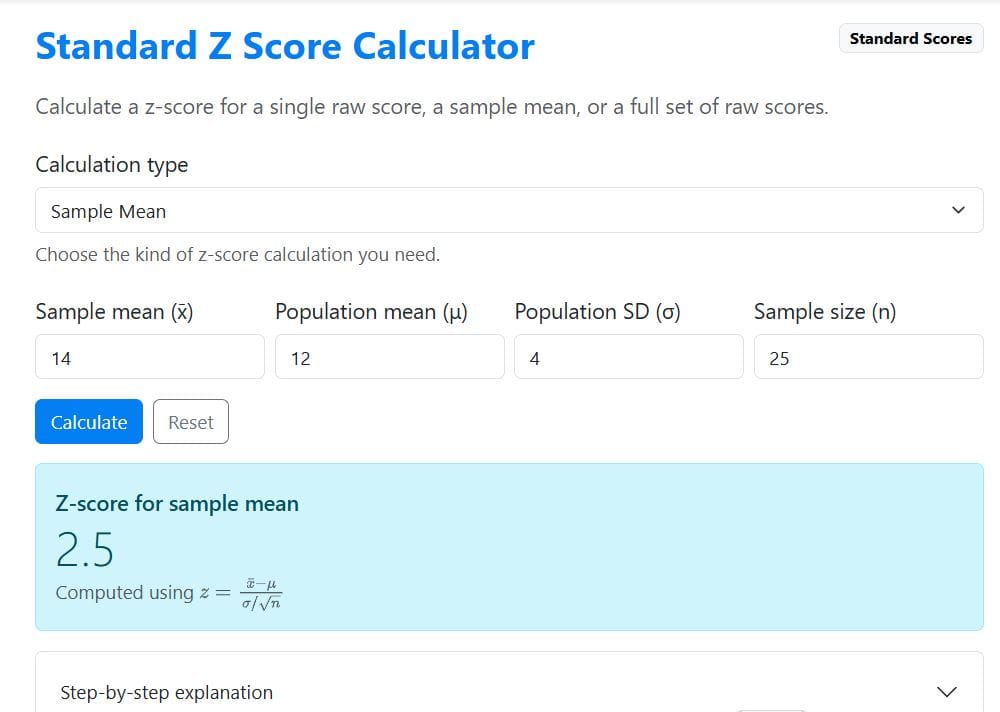
- Select “Sample mean.”
- Enter the parameters: sample mean = 14, μ = 12, σ = 4, and n = 25
- Click Calculate
The calculator instantly returns a z-score of 2.5 (as shown below). You can also click the “step-by-step explanation” to see how the value was computed.
How to Interpret Z Scores
After calculating the z-score, the next step is to interpret it. Here’s how the z-scores should be interpreted:
- A positive z-score means the value is above the mean.
- A negative z-score means the value is below the mean.
- A z-score of 0 means the value is exactly at the mean.
For instance, the student’s z-score of 1.5 indicates the score is 1.5 standard deviations above the class average.
Want to Learn More About Z Scores? Check out our Z Score Tutorial for step-by-step examples and easy-to-understand explanations.
Related. How to find z-scores using Excel
Frequently Asked Questions
To calculate a z-score, you need the raw score (X), the mean (μ), and the standard deviation (σ). However, if you are calculating a z-score for a sample mean, you will also need the sample size (n). Once these values are entered, the calculator instantly computes the z-score.
Yes. The calculator can compute the z-score of a sample mean using the appropriate formula that includes the standard error of the mean. Simply select “Sample mean” as the calculation type and enter the required parameters.
Yes. The calculator also allows you to convert a full set of raw scores into z-scores. This is useful when you want to standardize multiple observations so they can be compared on the same scale.
Yes. After calculating the result, you can expand the step-by-step explanation section to see how the formula was applied. This includes the formula used, the substituted values, and the final computation.
Reference
Z-score in statistics | Engineering mathematics. (2025, July 12). GeeksforGeeks.